From document to published course in 5 steps Frá skjali yfir í birt námskeið í 5 skrefum
The course creation wizard walks you through everything. No prior experience needed. Námskeiðsleiðarvísirinn leiðir þig í gegnum allt ferlið. Engin fyrri reynsla nauðsynleg.
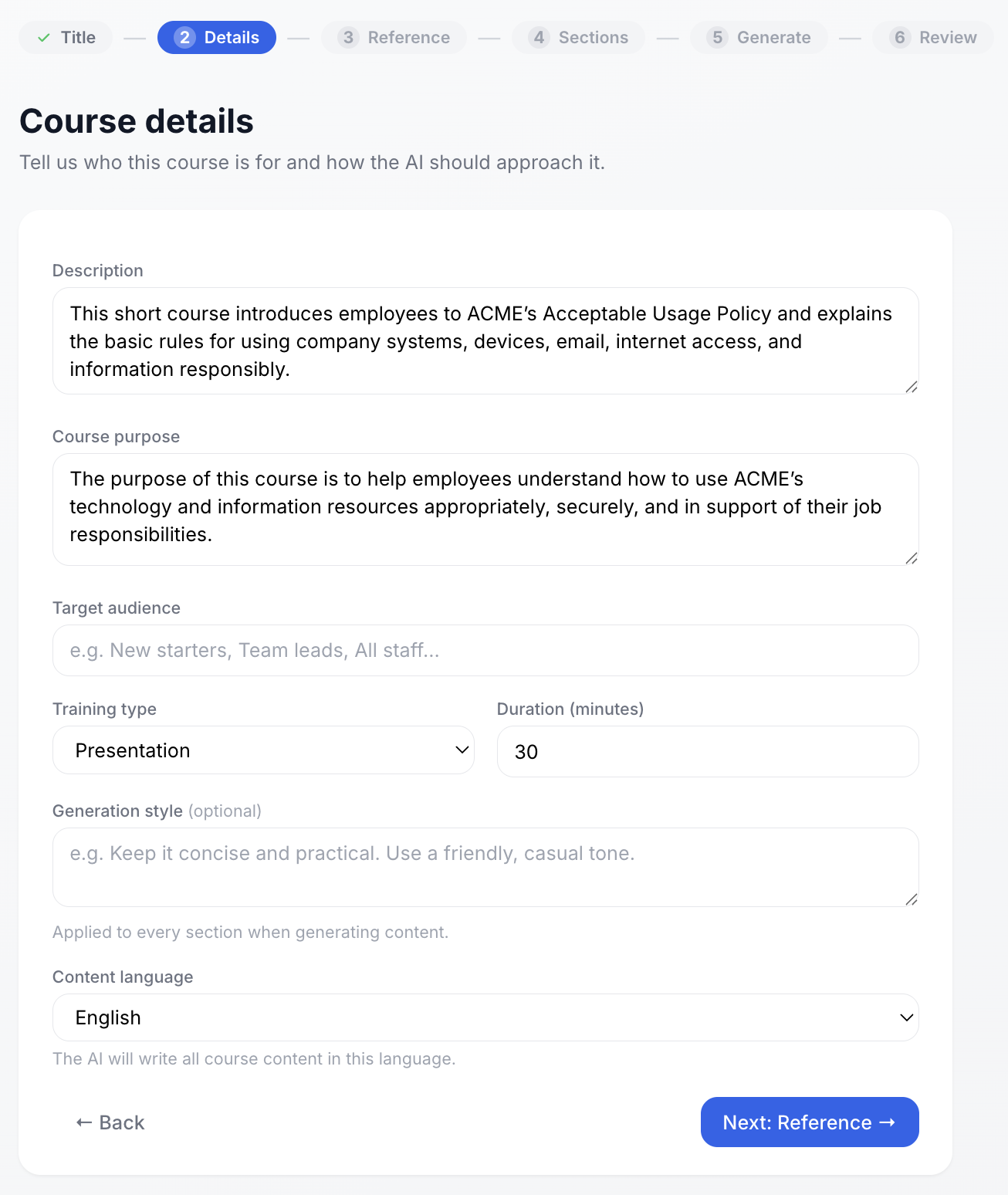
Set up your course Settu upp námskeiðið
Give the AI a brief description of what the course is about and who it's for. Set the training type, duration, tone, and content language. This context shapes everything the AI generates. Gefðu gervigreindinni stutta lýsingu á því um hvað námskeiðið fjallar og fyrir hvern það er. Stilltu tegund, lengd, tón og tungumál. Þetta samhengi mótar það sem gervigreindin býr til.
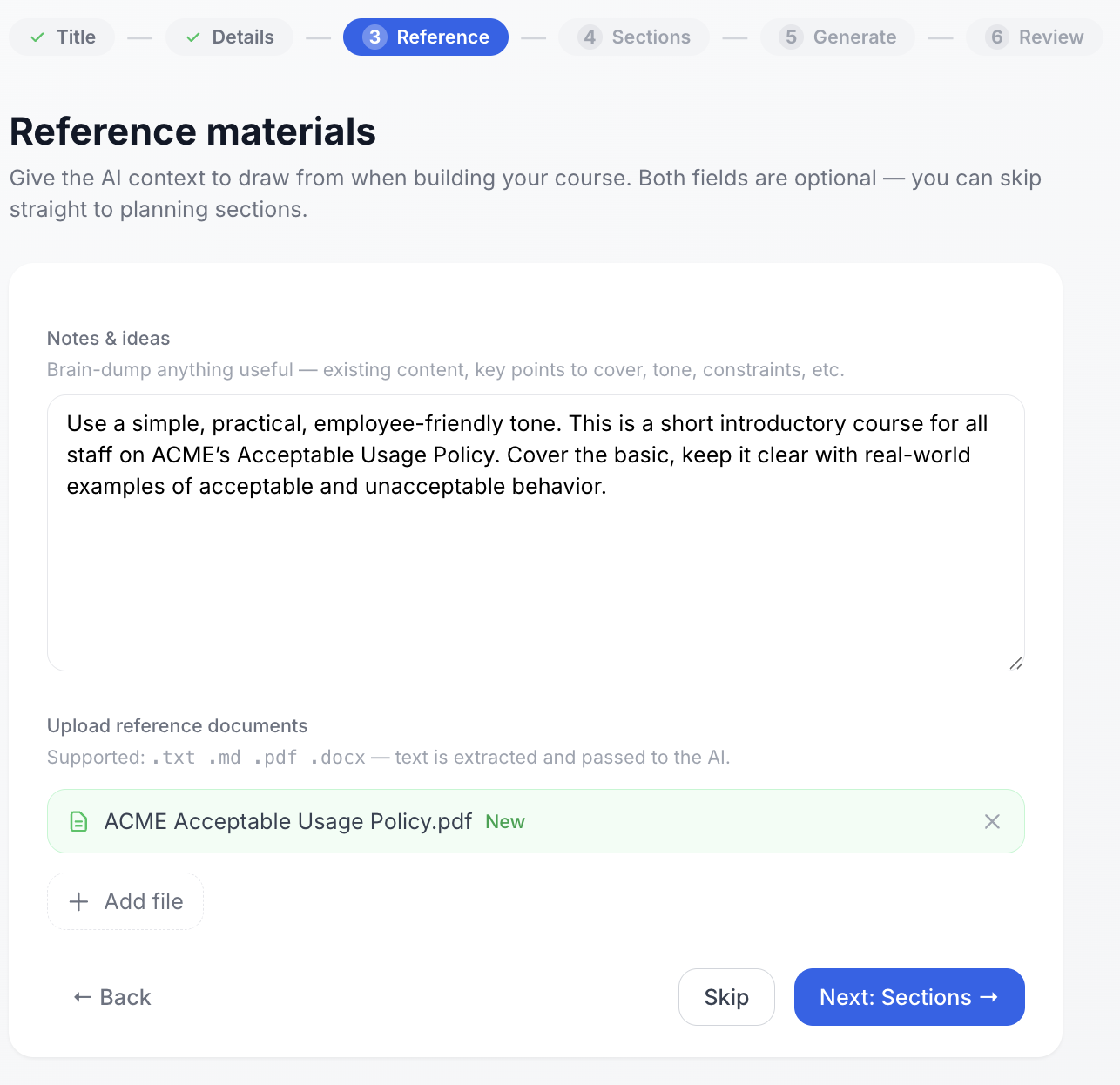
Upload your documents Hladdu upp skjölunum þínum
Upload existing policies, handbooks, or any reference material for the AI to draw from. Add notes to guide the tone and focus. Both fields are optional - you can skip straight to planning sections. Þú hleður upp núverandi stefnum, handbókum eða öðru efni sem gervigreindin getur notað. Bættu við athugasemdum til að leiðbeina um tón og fókus. Báðir reitir eru valfrjálsir.
Supported formats: .pdf, .docx, .txt, .md Studd skráarsnið: .pdf, .docx, .txt, .md
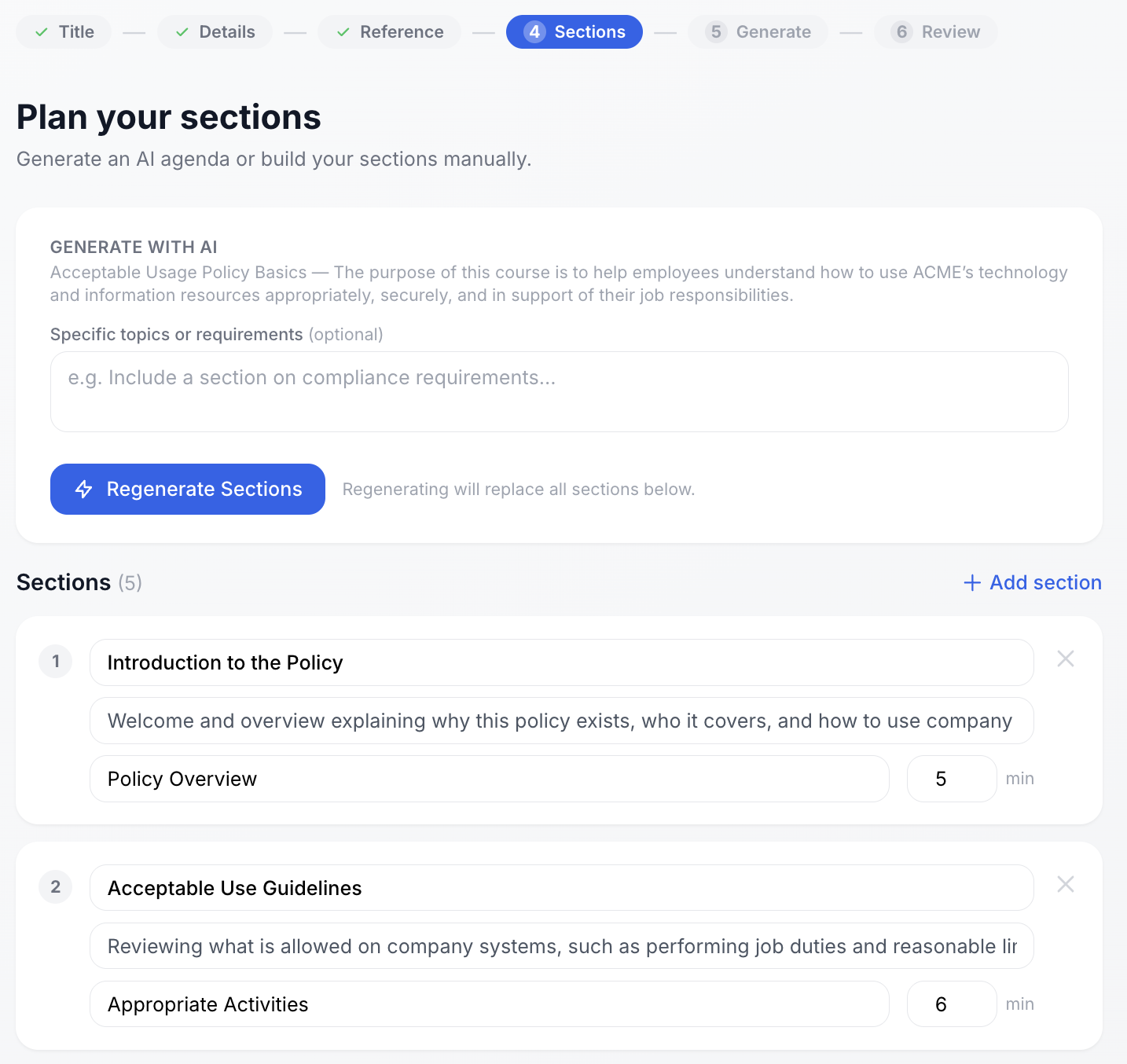
Plan your sections Skipulegðu námskeiðishluta
Let the AI generate a section plan from your description and documents - or build it manually. Add, remove, reorder, and adjust estimated durations before any content is generated. Láttu gervigreindina búa til áætlun úr lýsingunni þinni og skjölum – eða smíðaðu hana handvirkt. Bættu við, fjarlægðu, raðaðu og stilltu áætlaðan tíma áður en efni er búið til.
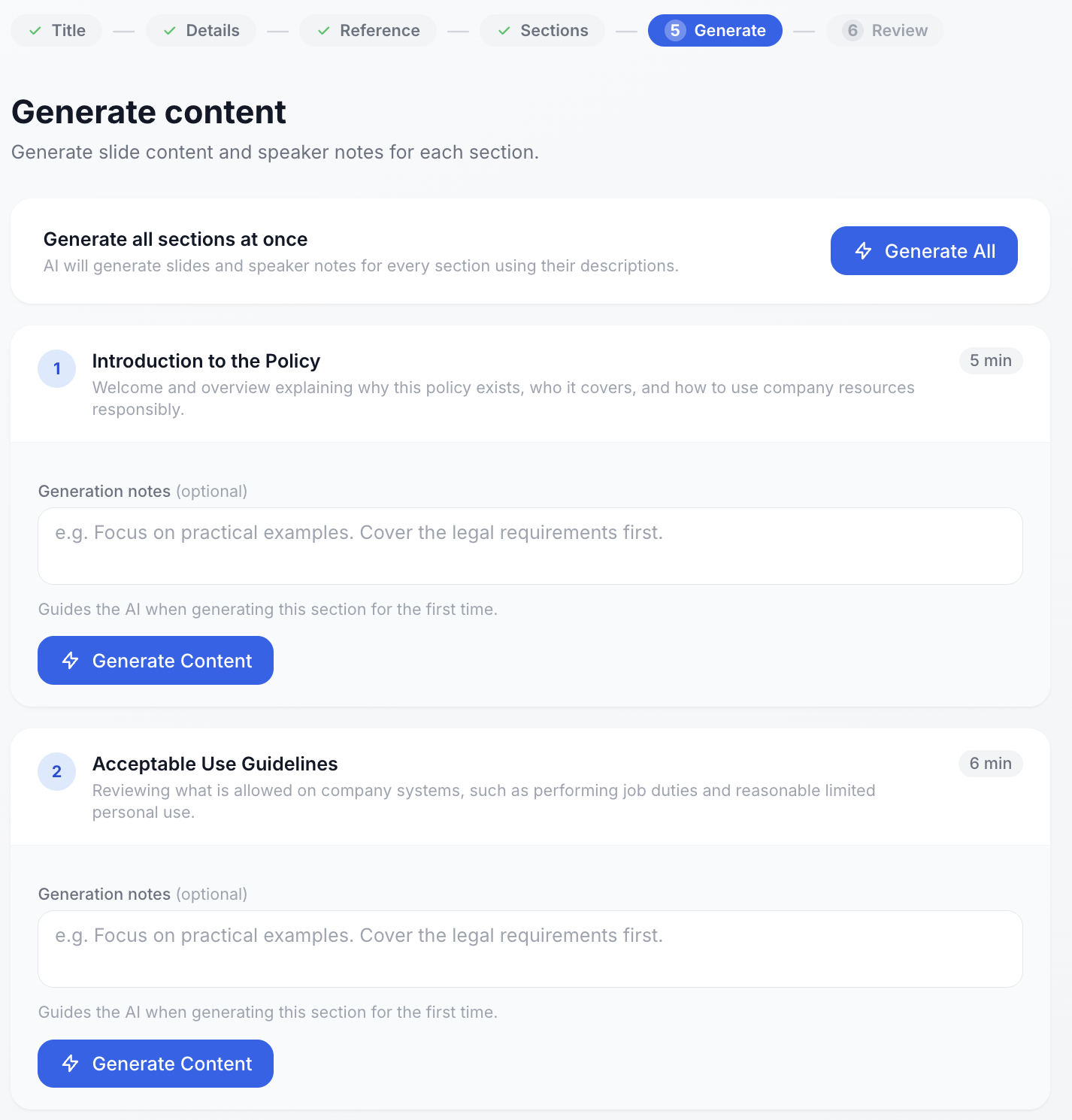
Generate slides and speaker notes Búðu til glærur og minnispunkta
Generate all sections at once, or section by section. The AI produces slide content and speaker notes for each. Add optional generation notes to guide the output for individual sections. Búðu til alla hluta í einu eða hvern hluta fyrir sig. Gervigreind framleiðir glæruefni og minnispunkta fyrir hvern hluta. Bættu við valfrjálsum leiðbeiningum til að stýra gerð hvers hlusta.
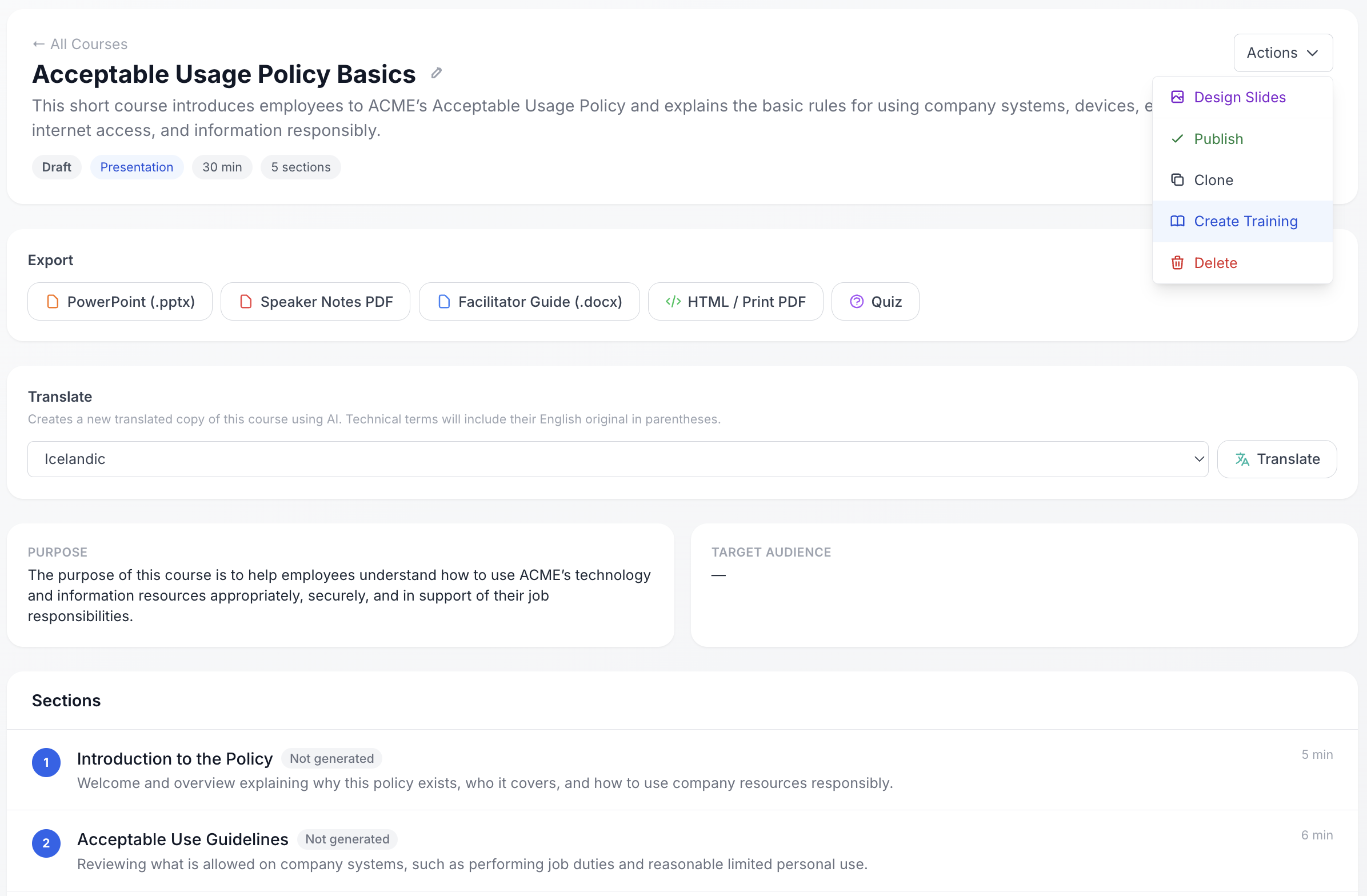
Review, design, and publish Farðu yfir, hannaðu glærur og birtu
Review the completed course, open the slide designer to pick a theme and fine-tune the visuals, then publish. Create a training from the course to assign it to your team and start tracking completions. Farðu yfir fullbúið námskeið, opnaðu glæruritilinn til að velja þema og fínstilla útlit, birtu svo. Búðu til þjálfun úr námskeiðinu til að úthluta til teymisins og fylgstu með framvindu.