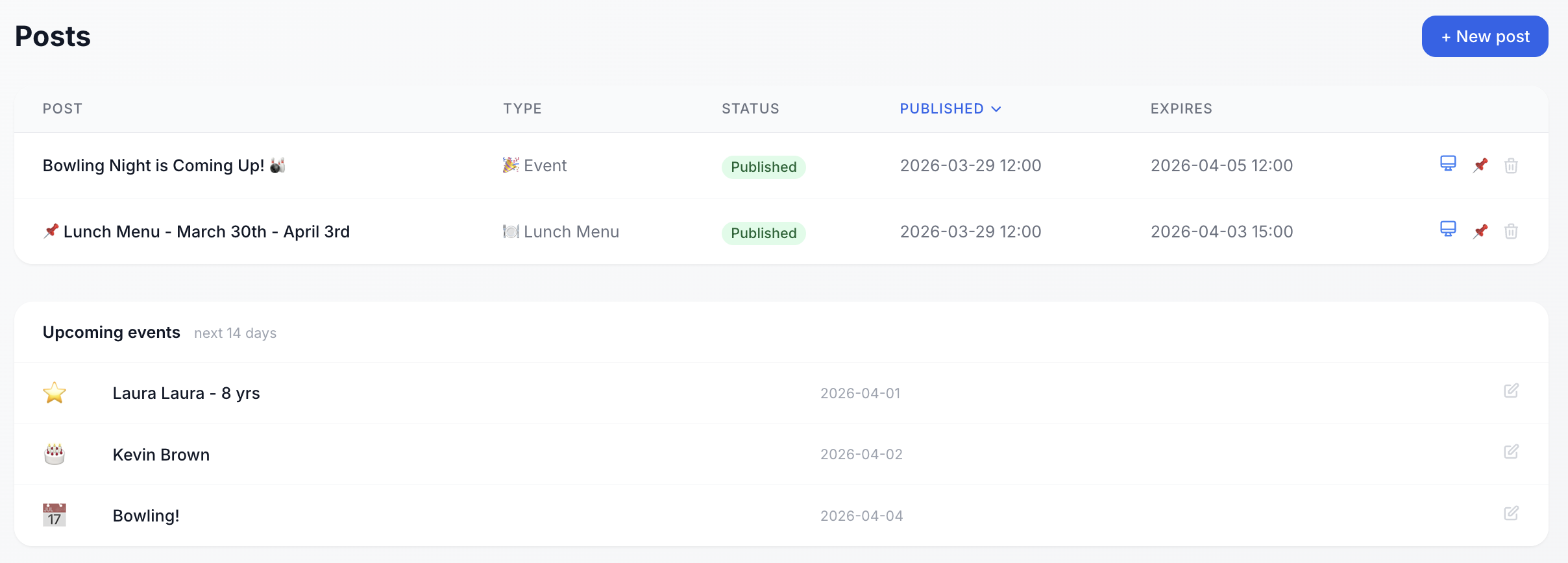
See everything you've published at a glance Sjáðu allt sem þú hefur birt á einum stað
The admin posts view shows all published content - type, status, publish date, and expiry. Upcoming events and birthdays are visible below, so you always know what's coming up in the next few days without hunting through calendars or spreadsheets. Stjórnandayfirlit sýnir allt birt efni - tegund, stöðu, birtingardagsetningu og gildistíma. Komandi viðburðir og afmæli sjást neðar, þannig að þú veist alltaf hvað er á döfinni.
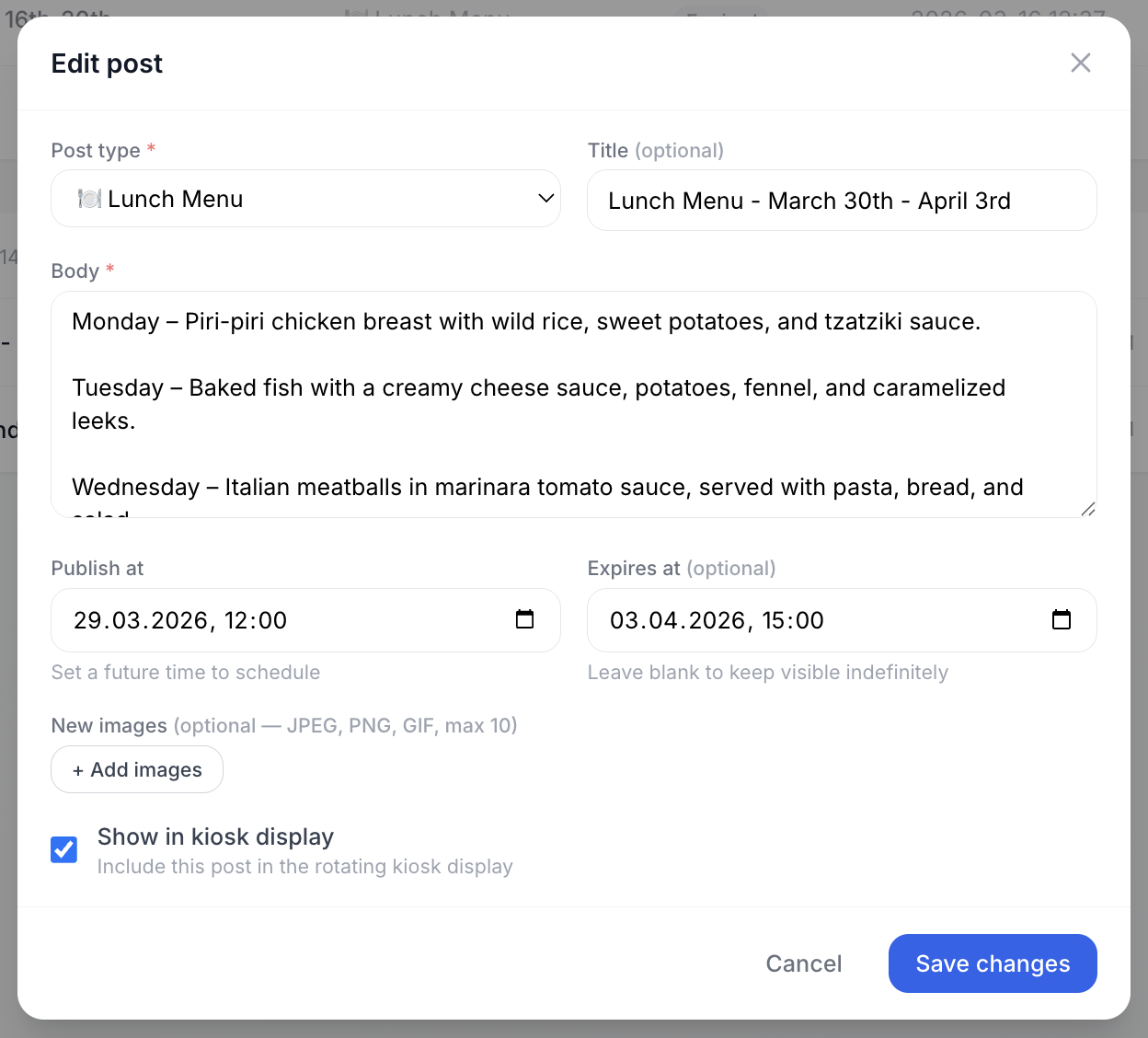
Create any type of post - scheduled or instant Búðu til hvaða tegund af færslu sem er - birtu strax eða á áætlun
Choose from post types like announcements, events, or lunch menus. Write the body, attach images, set a publish time in the future to schedule it, and an optional expiry so it disappears automatically. You can also mark posts for the kiosk display - handy for offices with a shared screen. Veldu úr færslutegundum eins og tilkynningum, viðburðum eða matseðlum. Skrifaðu meginmálið, festu myndir við, stilltu birtingartíma í framtíðinni til að tímasetja, og valfrjálsan gildistíma svo það hverfi sjálfkrafa. Þú getur einnig merkt færslur fyrir upplýsingaskjá.

Keep everyone in the loop on upcoming events Haltu öllum upplýstum um komandi viðburði
Add company events with a date and description. They show up automatically in the employee portal's sidebar so no one misses team outings, all-hands, or other important dates - without anyone needing to maintain a separate calendar. Bættu við viðburðum með dagsetningu og lýsingu. Þeir birtast sjálfkrafa í hliðarstiku starfsmannavefsins þannig að enginn missir af atburðum, fundum eða öðrum mikilvægum dagsetningum.
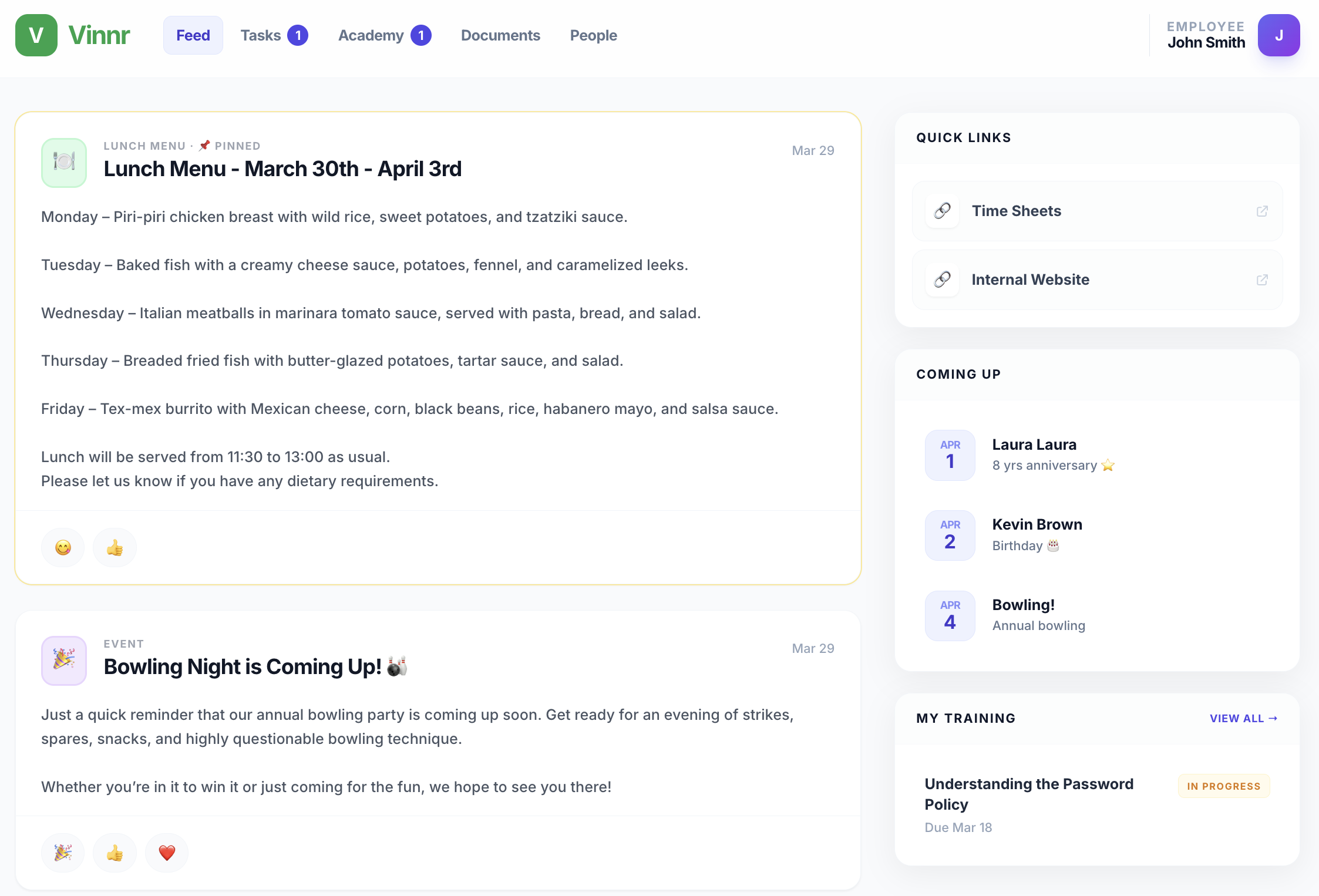
A personal home page for every employee Persónuleg heimasíða fyrir hvern starfsmann
When employees log in they see their Feed - company posts in chronological order. The sidebar shows quick links, upcoming events and birthdays, and a snapshot of their active training. Everything relevant to them, in one place, without noise. Þegar starfsfólk skráir sig inn sér það Strauminn - færslur í tímaröð. Hliðarstikan sýnir flýtitengla, komandi viðburði og afmæli, og yfirlit yfir virka þjálfun. Allt sem máli skiptir fyrir þau, á einum stað.
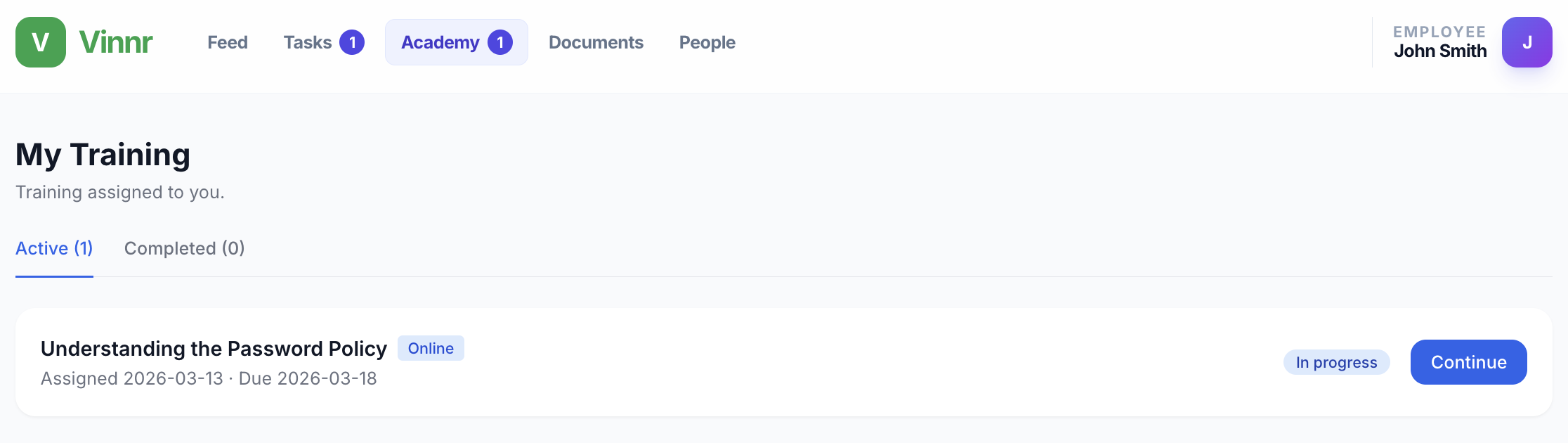
All assigned training in one tab Öll þjálfun á sama stað
The Academy tab shows every course assigned to the employee - with assignment date, due date, and progress status. Employees can pick up where they left off with a single click. Completed courses are archived in a separate tab so there's always a full record. Akademíuflipinn sýnir öll námskeið sem úthlutað er á starfsmanninn - með dagsetningu, skiladag og stöðu. Starfsfólk getur haldið áfram með námskeið sem er ólokið með einum smelli. Námskeið sem er lokið eru vistuð á sérstökum flipa.
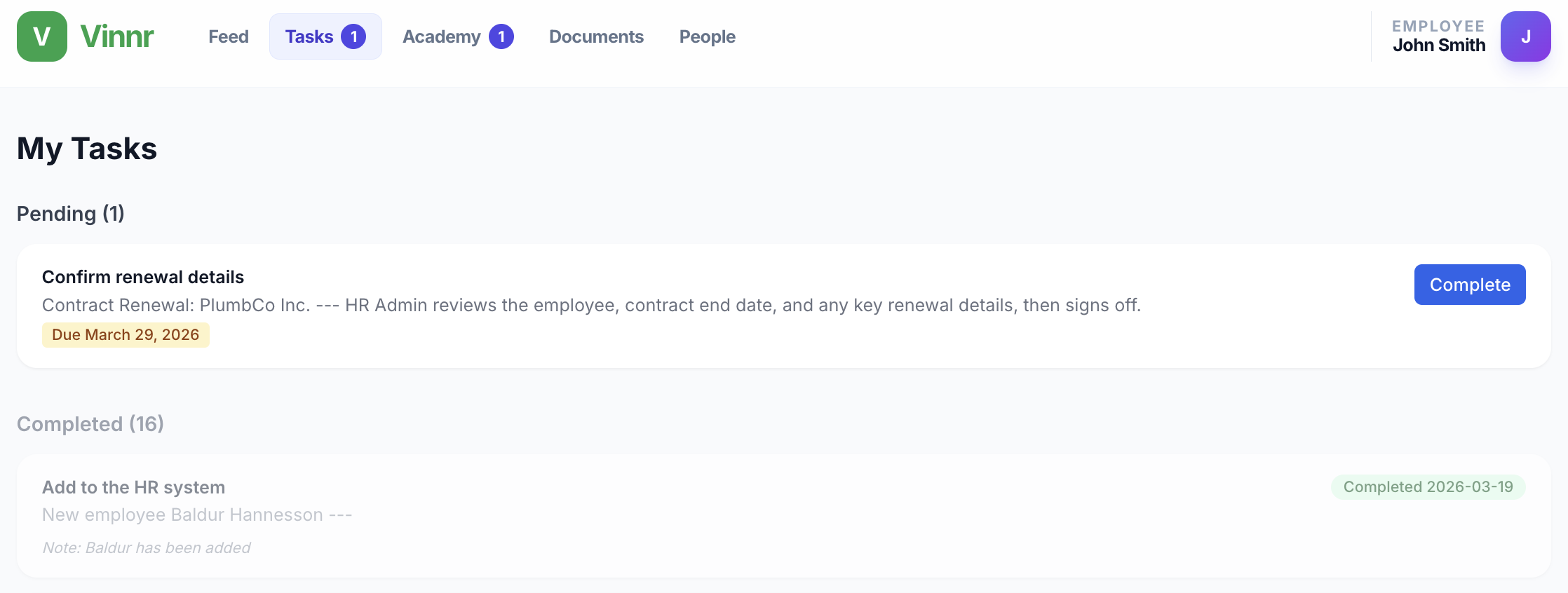
Tasks waiting for action - clearly visible Verkefni sem bíða - birtast á skýran hátt
The Tasks tab shows pending workflow steps assigned to this employee, with context, due date, and a Complete button. Finished tasks move to the Completed section, where any notes left by the employee are also shown. No inbox hunting - everything is right here. Undir „Verkefni“ birtast öll verkferlaskref sem úthlutað hefur verið á starfsmanninn, ásamt samhengi, skilafresti og hnappi til að ljúka verkinu. Lokið verkefni færast sjálfkrafa yfir í „Lokið“ þar sem allar athugasemdir starfsmannsins eru einnig sýnilegar. Engin þörf á að leita í pósthólfinu – allt er aðgengilegt beint hér.
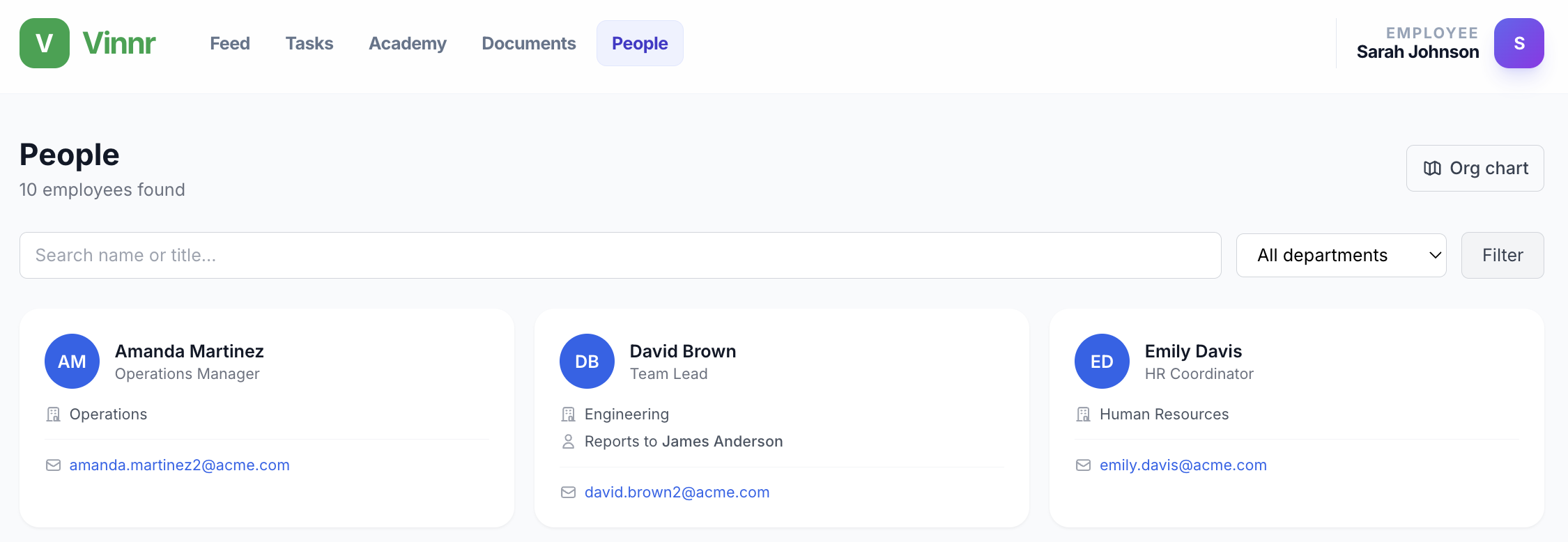
Find any colleague in seconds Finndu samstarfsaðila á einfaldan máta
The People tab is a searchable directory of everyone in the company. Filter by department, search by name or title, and see each person's role, department, who they report to, and their email - all on one card. No more "does anyone have the email for the person in operations?" Undir „Fólk“ er listi yfir allt starfsfólk fyrirtækisins með þægilegri leit. Þú getur síað eftir deildum, leitað eftir nafni eða starfsheiti, og séð hlutverk hvers og eins, deild, næsta yfirmann og netfang – allt á einu spjaldi. Ekki lengur spurningar eins og: „Er einhver með netfangið hjá manneskjunni á rekstrarsviði?“
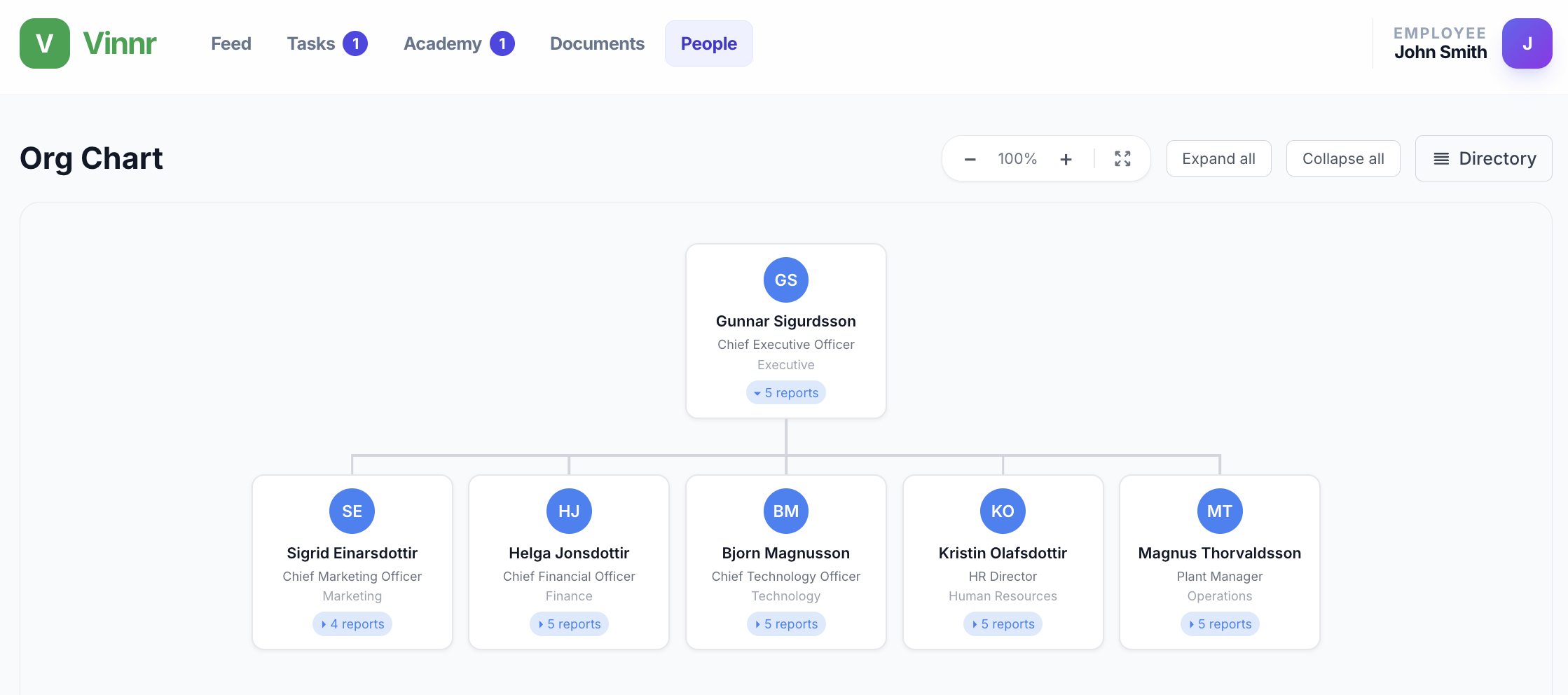
See the whole company structure visually Sjáðu skipulag fyrirtækisins á myndrænan hátt
One click from the directory switches to the interactive Org Chart. Zoom in and out, expand or collapse branches, and see how departments connect from the CEO down. Especially useful for new employees who want to understand how the company is structured without asking anyone. Með einum smelli færir þú þig yfir í gagnvirkt skipurit. Þú getur þysjað inn og út, stækkað eða minnkað deildir, og séð hvernig þær tengjast frá forstjóra og niður úr. Þetta er sérstaklega gagnlegt fyrir nýja starfsmenn sem vilja skilja uppbyggingu fyrirtækisins án þess að þurfa að spyrja.